
Searching Cases by Name
For a Winona County case search by name, the statewide starting point is Minnesota Court Records Online, or MCRO. It takes a name, case number, citation number, or attorney. Begin with the exact last, first, and middle information you have. Then run separate searches without the middle name. Try one with a middle initial. Try another with Sounds Like. A trailing asterisk is allowed after at least two characters. It cannot be paired with Sounds Like. When the matter is local, select Winona as the location. Open the case details from there and read the Register of Actions.
- Open MCRO Case Search and choose Name as the search method.
- Enter the name as it appears on a court notice when possible, starting with the exact spelling.
- Use a case category, filing-date range, or the Winona location filter only when that detail is known.
- Run alternate name forms separately, including a Sounds Like search if an exact search fails.
- Open a likely result and compare the court, filing date, category, status, and current settings before relying on it.
| MCRO field | Type | Required | Winona use |
|---|---|---|---|
| Last, first, middle name | Text | For name search | Try exact forms before broadening the search. |
| Sounds Like | Search option | No | Use separately from a trailing wildcard. |
| Location | Filter | No | Select Winona for a county-focused result list. |
| Category or filing date | Filter | No | Use Civil, Criminal, Family, Probate, or Mental Health when known. |
Note: People with similar names can land in the same results. Check the case number and the court before treating a hit as the case you meant.
Winona County Case Search Options
MCRO splits its tools into case, document, hearing, and judgment searches. Case Search is the normal start for a Winona County court file. The case-details view supplies the chronological Register of Actions, the local docket term for the running list of court and party events. Document Search is a separate route to publicly accessible filed documents. Hearing Search helps when no case number is at hand but a date, judicial officer, category, or location is known. Judgment Search is its own layer. It is not a tab that turns every case result into a judgment record.
The local trial court is Minnesota District Court, Winona County District Court. MCRO covers that court within a statewide system. It does not replace Winona County District Court Administration. That office keeps the court file itself and handles records needing courthouse inspection or a formal copy request.
Searching by Case Number
A complete number is usually the most direct Winona County case search. The county code is 85. A criminal format illustration is 85-CR-YY-NNNN; a civil illustration is 85-CV-YY-YY-NNN. The segments identify the county, case type, filing year, and sequence. These are format examples, not live cases. A notice or MCRO result remains the authority for the actual number. It also governs any added letters in a particular case type. Minnesota Courts says numbers can generally be entered with or without dashes or leading zeros. They cannot be entered with spaces.
For a traffic matter, a citation number can beat a common name. Choose the Citation Number method and enter the complete value from the ticket. An incomplete number may return an error. After a successful search, keep the exact number, filing date, and case category. Those details sharpen any later request to Court Administration.
Winona County Case Number Codes
Case numbers offer a compact way to tell apart records that share a party name. The county component, 85, marks Winona County. The type letters mark the case grouping. The remaining portions mark the filing year and sequence. MCRO supplies the case header and category for any result. Readers never need to guess at a case's meaning from an unfamiliar abbreviated entry.
Use the full number from the notice whenever possible. A matching county code alone does not establish the subject or outcome of a case. Read the case header with the Register of Actions.
- Register of Actions
- The chronological list of filed and court-generated events shown in MCRO case details.
- District Court Calendar
- The local daily hearing report for Winona County District Court.
- Case number
- The court file identifier, built around county, case type, year, and sequence elements.
- Citation number
- The preprinted ticket identifier, often a statewide 12-digit value.
What a Case Search Returns
A Winona result normally opens to a case header, parties and attorneys, the Register of Actions, hearing settings, accessible documents, and any judgment or disposition information the public rules permit. The result helps you locate and understand a public court record. It is not a certified copy. A document link can be absent even though a docket entry is present. That is because remote document access depends on the case category, filing date, and applicable public-access rules.
Save the case number and the date or description of any entry that matters. Those facts give Court Administration a clear starting point. They help if courthouse access or a formal copy becomes necessary.
| Case header | Case number, court, filing date, category, and current status. |
|---|---|
| Register of Actions | The dated sequence of filings, orders, hearings, and other case events. |
| Settings | Current or recorded hearing information where publicly available. |
| Documents | Accessible filed documents, if remote access is authorized for that record. |
| Judgment or disposition | The court result when one is entered and publicly available. |
Winona County Case Search Document Limits
MCRO's access information explains that current public documents may be downloaded without charge, but not every document or case type is remotely accessible. Major and minor criminal and civil categories filed on or after July 1, 2015 generally have the broadest document availability. Family and post-adjudication paternity material is narrower, often limited to court-prepared orders, opinions, and notices. Earlier material has additional limits. The Register of Actions can therefore be visible even when the document itself cannot be opened remotely.
The MCRO Case Search interface shows the choices available before a result is opened.
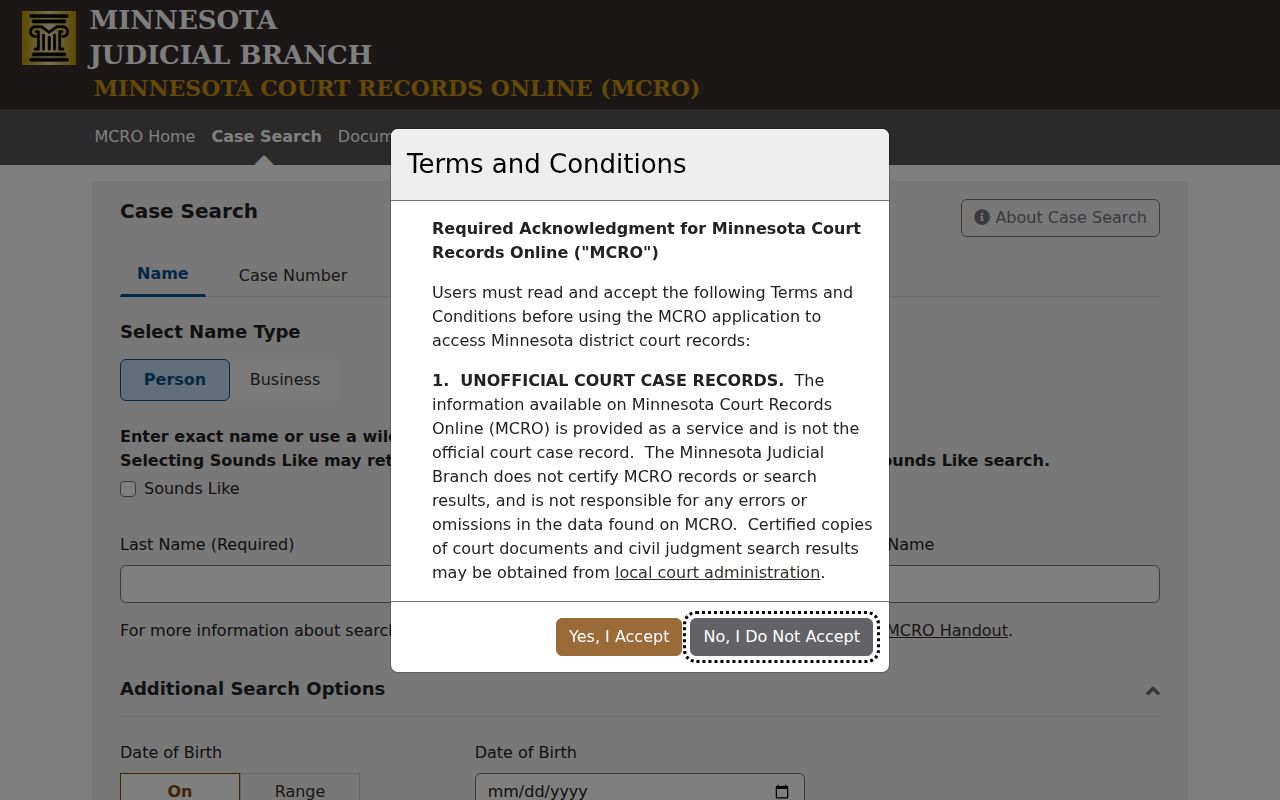
The form's separate search modes reinforce why a complete number beats a broad name search.
Statewide vs County Case Search
Winona County has no standalone online case portal of its own. The statewide system, MCRO, does the work. Its location filter narrows results to Winona. For anything deeper, you go in person: the MNPAC terminal at the courthouse offers fuller records, or you can ask Winona County District Court Administration directly. So when a remote search misses a record you expected to see, the gap is about access depth, not a missing file.
Use the same case number at every layer. The numbering does not change. Only the depth of public access does.
| MCRO statewide search | Winona courthouse access |
|---|---|
| Searches Minnesota public case layers and can be filtered to Winona. | Uses MNPAC and the local counter for the records available at the courthouse. |
| Best for a known number, citation, name, hearing, document, or judgment search. | Best when remote access is limited, a file is older, or inspection is needed. |
| Shows only records and fields approved for remote public access. | Can be more complete, subject to confidentiality and sealed-record rules. |
Winona County Case Search at MNPAC
MNPAC stands for Minnesota Public Access Courthouse. Think of it as the terminal layer inside the courthouse. It carries more than remote MCRO does. When a Winona County case search turns up no usable document online, the next step is that terminal. A call to Court Administration works too. That extra depth does not undo a sealing order or any confidential-record rule. It simply reflects how the Judicial Branch balances in-person inspection against limits that shield certain fields and case types from remote view.
Winona County District Court Administration sits at 171 W. Third St., Winona, MN 55987. Court Administrator Ellie Wilke is named on the court page. The main line is 507-615-5183. The court's official Winona contacts page is the right place to route a docket, calendar, or records question.
Access and Restricted Cases
MCRO leaves things out on purpose. Pending criminal, traffic, and petty-misdemeanor matters without a conviction may not show up in a defendant-name search. A case or citation number can still work, though. Juvenile matters carry special statutory privacy protections. Family, adoption, OFP/HRO, CHIPS, public civil-commitment, sealed, and expunged records each follow their own access rules. An empty name result proves nothing. It does not mean no proceeding exists. It never explains why a record is unavailable.
Remote access also blocks or redacts protected identifiers. These include Social Security and EIN numbers, street addresses, phone numbers, financial account numbers, and identifying details for jurors, witnesses, and victims. If a search returns a restricted placeholder or nothing at all, hold onto the case or citation number. Then try MNPAC or Court Administration, and ask which access route fits. Sealed, expunged, dismissed, disposed, and not found are not interchangeable states.
Note: A public case lookup helps you find a court record or hearing. It does not replace the court's formal decision about access.
Winona County Case Search and eFS
Minnesota eFile and eServe, usually shortened to eFS, is a filing and service platform for authorized users. It is not the public Winona County case search. Lawyers, government filers, and guardians ad litem can submit and serve materials through the Tyler Technologies system, but a member of the public reading a docket starts with MCRO, MNPAC, or the local copy process. eFS security levels also separate public, confidential, and sealed material.
That separation clears up a common mistake. A document filed through eFS is not automatically viewable online by the public. Once the eFS viewing period ends, turn to the MCRO Register of Actions, courthouse access, or a request to the local custodian to identify the filing.
Winona County Case Search P-MACS
P-MACS is Minnesota's public appellate search. It is not a Winona County District Court search. Use it for the Minnesota Court of Appeals or the Minnesota Supreme Court. A district-court case in Winona starts in MCRO, even one that later produces an appeal. Keeping the two systems apart prevents a common mix-up. It stops you from mistaking an appellate search for a trial-court Register of Actions search.
The official P-MACS interface is built for Minnesota appellate public cases.
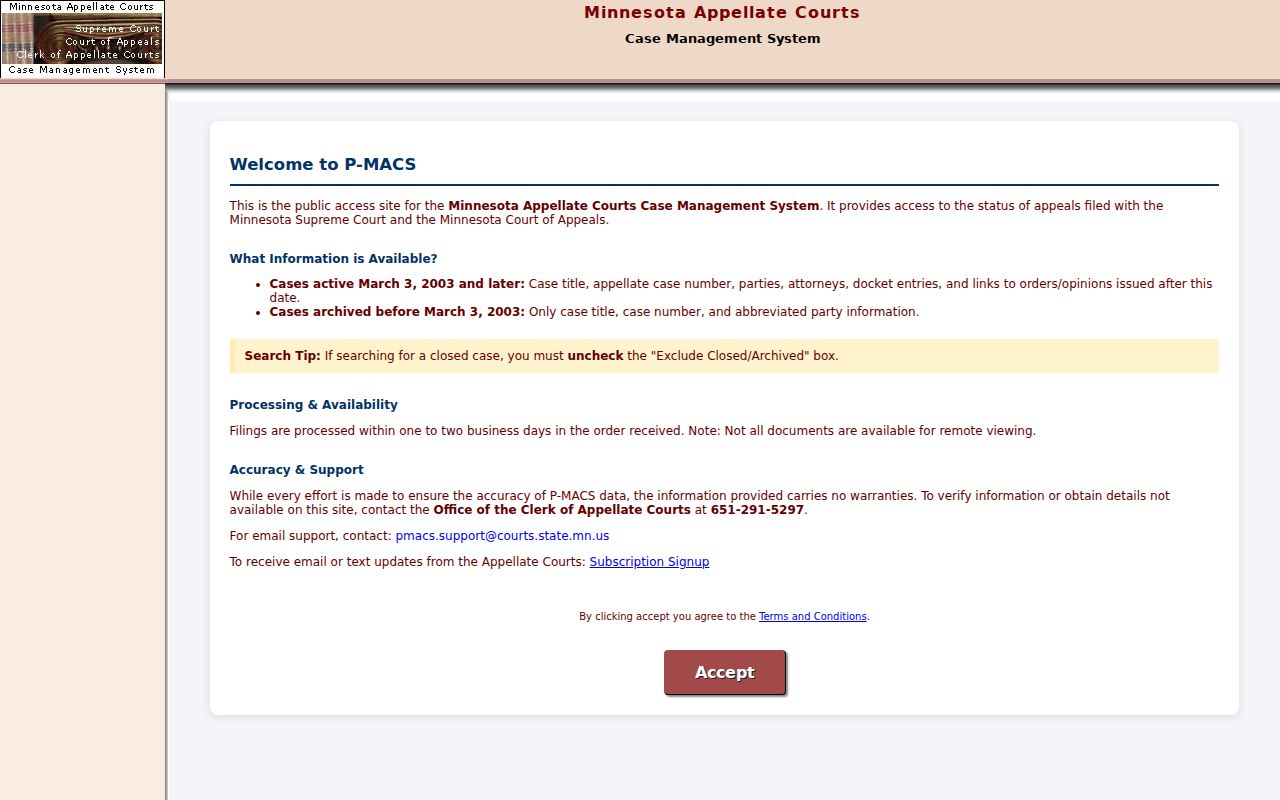
P-MACS complements MCRO only once a matter reaches the appellate courts. It never replaces the Winona trial-court search.
Winona County Case Search Calendar Check
MCRO is not a live courtroom feed. To confirm a hearing date, check the settings in the case. Compare them against the Winona daily court calendar and the case-specific notice. The daily report posts around 7:00 p.m. for the next day. It refreshes hourly from about 7:00 a.m. It still leaves out confidential and non-remotely accessible matters. The lobby calendar at the courthouse can run ahead of the online PDF. If sources disagree, Court Administration and the case-specific notice control.
A calendar entry marks a public setting, not every confidential matter. When a date affects an appearance, confirm directly with the court.
Winona County Case Search Help
Before calling, write down the case number. Add the filing date, court, category, status, and the exact Register of Actions entry or document you need. That summary lets Winona County District Court Administration find the record without a long story. The official district-court contact form takes an optional case number. It warns against use for urgent matters. With an 800-character message limit, the local phone line is the better route for anything pressing.
For local help, call Court Administration at 507-615-5183. It is the first Winona contact for case records, calendars, and public-access questions.